How to Check Tire Pressure on a Honda Civic
A 5-minute walkthrough for reading your Civic’s TPMS display and using a gauge — accurate for the 2013 through 2026 model years.
Quick Answer
The fastest way to check tire pressure on a Honda Civic is through the driver information screen: press the left arrow button on the steering wheel until “Tire Pressure” appears, and the display shows PSI for all four tires. To confirm the reading with a physical tool:
- Remove the valve cap on a cold tire.
- Press a tire pressure gauge onto the valve stem until the hissing stops.
- Read the number and compare it to the sticker inside the driver’s door jamb (usually 32–35 PSI).
On this page
Why Tire Pressure Matters on a Honda Civic
Every Honda Civic built since 2008 comes with a Tire Pressure Monitoring System (TPMS), a federal requirement in the US under the TREAD Act. That’s helpful, but the warning light only turns on once a tire is roughly 25% below its recommended pressure — by then, fuel economy, handling, and tire wear have already taken a hit.
The U.S. Department of Transportation estimates that underinflated tires are a contributing factor in thousands of crashes each year, and the National Highway Traffic Safety Administration (NHTSA) notes that properly inflated tires can improve fuel efficiency by up to 3%. For a Civic owner, that’s the difference between squeezing out a few extra miles per tank and quietly wearing down tires that cost $500–$800 to replace as a set.
Checking pressure manually once a month, rather than waiting for the dashboard light, is the habit that actually protects the tires.
Civic tires lose roughly 1 PSI for every 10°F drop in outside temperature. A tire that reads 33 PSI in August can quietly slip to 28 PSI by the first cold snap of winter — even with no leak at all.
Where to Find the Correct PSI for a Honda Civic
Never guess the number, and never use the “Max Press” figure printed on the tire’s sidewall — that’s the tire’s maximum rating, not Honda’s recommended pressure. The correct PSI is set by the manufacturer for that specific car and wheel combination.
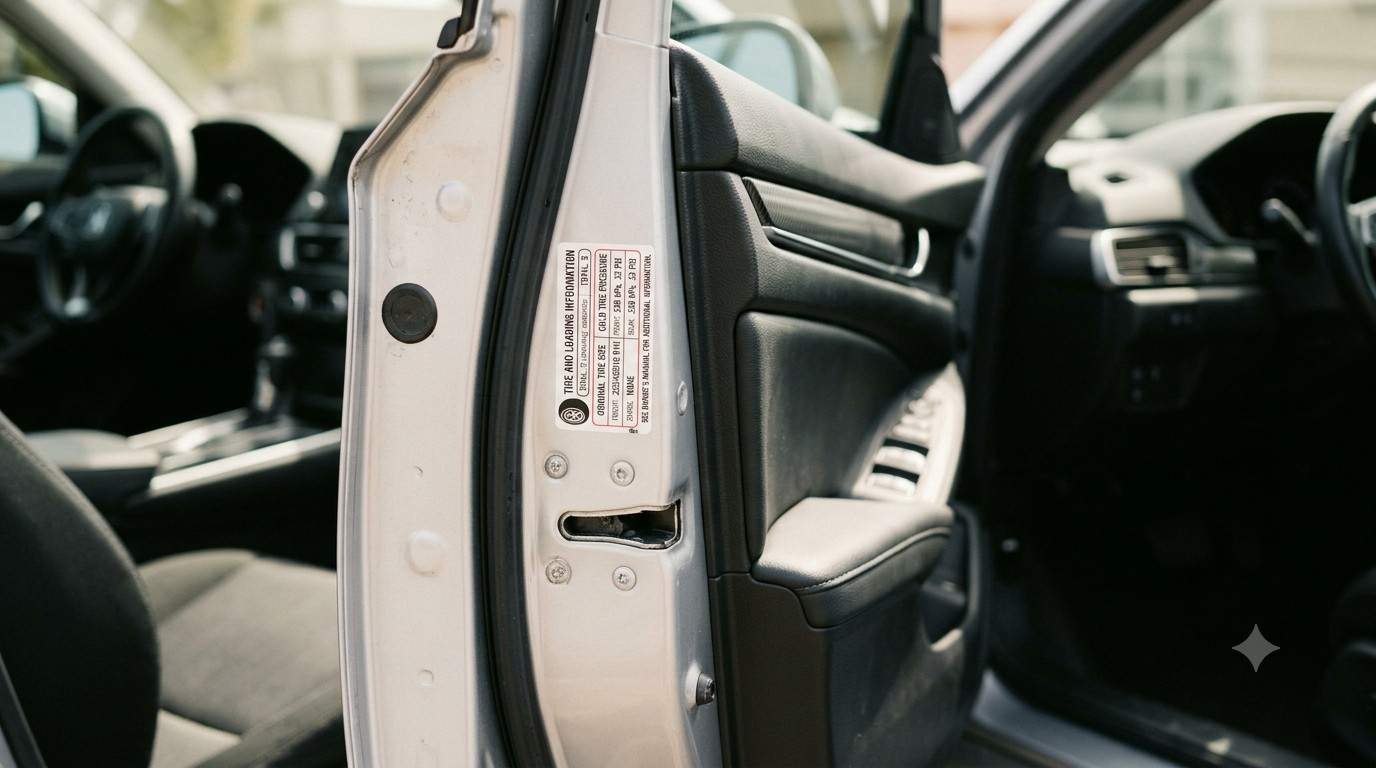
Open the driver’s door. Do not start the car.
Look at the door jamb sticker. It’s the vertical strip on the frame, visible once the door is fully open.
Find “Front” and “Rear” PSI. Most Civic trims list the same number for both, but performance trims like the Si and Type R sometimes differ front to rear.
Recommended PSI by Civic Trim (Cold Tire Reading)
| Civic Trim / Wheel Size | Front PSI | Rear PSI |
|---|---|---|
| LX / Sport (16–17″) | 32 | 32 |
| EX / EX-L / Touring (17–18″) | 32 | 32 |
| Civic Si | 32 | 32 |
| Civic Type R | 32 | 29 |
| Civic Hatchback (all trims) | 32 | 32 |
Figures reflect commonly listed factory specs and vary slightly by production year and wheel option — the door jamb sticker on your specific car is always the final word.
Method 1: Reading Tire Pressure on the Dashboard Display
Every Civic from 2016 onward has a direct-reading TPMS, meaning the driver information screen (between the speedometer and tachometer) shows an actual PSI number for each wheel — not just a warning icon. This is the quickest way to check pressure without leaving the driver’s seat.
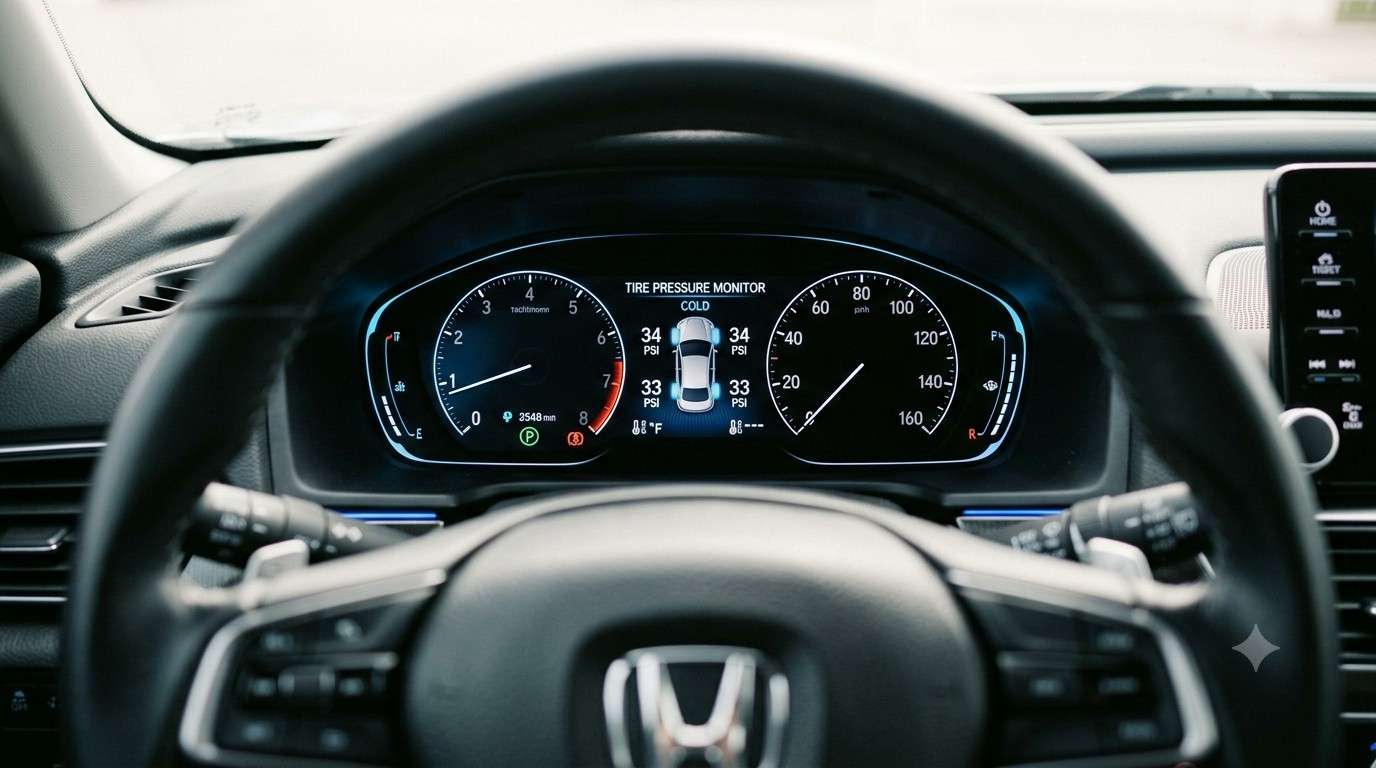
Turn the ignition to “On” or start the engine. The car doesn’t need to be running.
Use the steering wheel arrows. Press the left/right selector buttons repeatedly to scroll through the driver info screens.
Stop on the “Tire Pressure” screen. A simplified car outline appears with a PSI number next to each of the four wheels.
Compare each number to the door jamb spec. Any wheel reading more than 3–4 PSI below spec should be topped up.
Older Civics (2013–2015) use indirect TPMS, which does not show a PSI number — it only compares wheel rotation speed and lights up a warning icon once pressure is low. For these model years, a physical gauge is the only way to see the actual number.
Method 2: Checking Tire Pressure with a Gauge
A gauge check takes about five minutes and is the most accurate method, since it reads actual air pressure rather than relying on the car’s sensors. It’s also the only reliable way to check the spare tire, which has no TPMS sensor at all.
Check tires when cold. “Cold” means the Civic has been parked for at least 3 hours, or driven less than a mile. Pressure rises as tires warm up, which skews the reading.
Remove the valve cap from the tire’s valve stem and set it somewhere it won’t roll away.
Press the gauge firmly onto the stem. A brief hiss is normal; a sustained hiss means the gauge isn’t seated properly — reposition it.
Read the PSI number on the gauge’s dial, digital screen, or sliding scale.
Repeat for all four tires, plus the spare if the Civic has one, and screw each valve cap back on.
Reading the TPMS Display by Civic Generation
2022–2026 Civic (11th Generation)
The 11th-gen Civic uses a cleaner digital cluster. From the home screen, tap or scroll to “Vehicle Info,” then “Tire Pressure.” Trims with the 10.2″ digital gauge cluster show the reading directly under the speedometer.
2016–2021 Civic (10th Generation)
Use the steering wheel’s left-hand toggle to cycle the driver info display (i-MID) until the tire pressure diagram appears. This generation introduced direct TPMS as standard equipment across all trims.
2013–2015 Civic (9th Generation)
These models use indirect TPMS. There’s no on-screen PSI reading — only a low-pressure warning light shaped like a horseshoe with an exclamation point. A manual gauge is required to see the actual number.
What to Do If a Tire’s Pressure Is Low
Finding a low tire isn’t a reason to panic, but it shouldn’t be ignored either.
- Add air in small amounts. Inflate in short bursts, checking the gauge between each one, until the tire reaches the door jamb spec.
- Check for a slow leak. If one tire consistently runs low every few weeks, a nail, valve stem crack, or wheel-seal issue is the likely cause.
- Inspect the tread and sidewall for visible punctures, bulges, or cracking while the wheel is easy to see.
- Get it inspected at a tire shop if the same wheel keeps losing pressure — most shops check for leaks free of charge.
How to Reset the Tire Pressure Light After Checking
Once every tire is filled to the correct PSI, the warning light on a Civic usually turns off on its own after several minutes of driving at 30+ mph. If it stays on:
Turn the ignition to “On” without starting the engine.
Press and hold the TPMS reset button, typically located under the steering column, until the light blinks three times.
Start the car and drive for about 10 minutes so the system can recalibrate to the new pressure readings.
How Often Should a Civic’s Tire Pressure Be Checked?
Tire manufacturers and NHTSA both recommend checking pressure at least once a month, and always before a long road trip. It’s worth checking more often during seasonal temperature swings, since a 20°F drop can pull pressure down by roughly 2 PSI — enough to trigger the warning light on a Civic that was previously fine.
Frequently Asked Questions
Where is the tire pressure sensor reset button on a Honda Civic?
It’s usually a small button labeled “TPMS” tucked under the steering column, near the fuse panel or hood release. On some trims it’s accessed through the driver info screen’s settings menu instead of a physical button.
Why does my Civic’s tire pressure light stay on even after I add air?
The system usually needs a few minutes of driving above 30 mph to recalibrate. If the light stays on after a drive, the pressure may still be slightly off, a sensor battery could be failing, or the system needs a manual reset.
What is the correct tire pressure for a Honda Civic?
Most Civic trims call for 32 PSI front and rear when cold. The Civic Type R is the main exception, typically listing 32 PSI front and 29 PSI rear. The door jamb sticker on the specific car is always the most accurate source.
Can I check Honda Civic tire pressure without a gauge?
Yes, on 2016 and newer Civics — the dashboard TPMS display shows a PSI number for each wheel without any extra tools. On 2013–2015 models, a gauge is the only way to see an exact number.
Should tire pressure be checked when the tires are hot or cold?
Always check when cold, meaning the car has been parked for at least three hours or driven under a mile. Checking right after a drive can overstate the reading by 4–6 PSI.
Key Takeaways
Checking tire pressure on a Honda Civic only takes a few minutes, and it’s one of the cheapest ways to protect fuel economy, tire life, and handling.
- Find the correct PSI on the driver’s door jamb sticker — not the tire sidewall.
- 2016+ Civics show live PSI on the dashboard; scroll to the tire pressure screen with the steering wheel controls.
- 2013–2015 Civics need a manual gauge, since their TPMS only shows a warning light.
- Check pressure monthly, always when the tires are cold, and top up in small increments.